Posts

Showing posts from December, 2010

Android In Spaaaace!

Here at Google, we�re all about exploration. It�s no surprise that some of our favorite products are built to let you explore the world in ways never before possible. Google Maps lets you find your way all around the world. Google Earth lets you explore the planet in detail, complete with trees and oceans. And Google Sky Map lets you explore the skies right from your Android device. Well, we wanted to do a little exploring of our own, so we decided to venture into near space, with the help of some Androids. Recently, we travelled to Ione, CA and sent seven payloads up, up, and away into near space, each equipped with a Nexus S . We took some cues from others who have sent homemade weather balloon rigs far up, and we wanted an opportunity to collect some interesting data about the sensors in Nexus S � GPS, gyroscope, accelerometer, and magnetometer. We also couldn�t resist what looked like a great way to spend a weekend. Sending the balloons up also gave us an opportunity to capture so...
Under the hood of Google Maps 5.0 for Android

Image
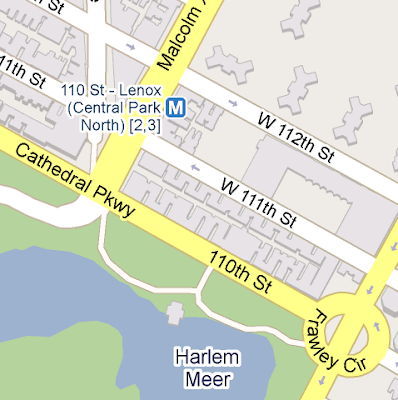
(Cross-posted from the Official Google Blog ) Yesterday we introduced Google Maps 5.0 for Android with two significant new features: 3D interaction and offline reliability. In order to create these features, we rebuilt Maps using vector graphics to dynamically draw the map as you use it. Building a vector graphics engine capable of achieving the visual quality and performance level you expect from Google Maps was a major technical challenge and enables all sorts of future possibilities. So we wanted to give you a closer look under the hood at the technology driving the next generation of mobile maps. Vector graphics Before diving into how Maps uses vector graphics, it may be helpful to understand how maps were created before. Previously, Google Maps downloaded the map as sets of individual 256x256 pixel �image tiles.� Each pre-rendered image tile was downloaded with its own section of map imagery, roads, labels and other features baked right in. Google Maps would download each tile a...

The next generation of mobile maps

Image
(Cross-posted from the Official Google Blog and the Google Lat Long Blog ) Update (12/17/2010 11:30am PST) : Check out a related post on the technology powering Google Maps 5.0 for Android . I�m excited to announce Google Maps 5.0 for Android, with two significant new features: 3D interaction and offline reliability. We launched Google Maps for mobile a little more than five years ago. Since then, we�ve added dozens of features, and we�ve grown from a few thousand to more than 100 million users . Still, a couple of things have remained the same: a flat, north-up map and the need for a strong Internet connection. Today, we�re changing that for the first time. Tilt while zoomed in (left) or use compass mode (right) to orient yourself with 3D buildings. Explore maps in 3D Until now, Google Maps has always downloaded the map as a set of small, square images that we stitch together to form the map you see. (You�ve probably seen those gray squares getting filled in, block-by-block, as t...

The wait is over: Announcing Nexus S availability in the U.S.

Last week we announced Nexus S , a pure Google phone. With a brilliant 4� Contour Display, a 1GHz Hummingbird processor, the latest Google mobile apps and Android 2.3 (Gingerbread) pre-installed, we�re excited about getting this great device out there. We�re pleased to announce that starting today, this phone will be available for sale through Best Buy and Best Buy Mobile stores across the U.S. and online. The phone is sold unlocked and can be bought for $529.99 without a service plan or for $199.99 with a T-Mobile service plan. Can't make it to a store? Order online now through Best Buy . By the way, some of our old friends also can�t wait to get their hands on a Nexus S! Update Dec 16 10:52am PST: Looking to purchase a no-contract Nexus S from Best Buy? Look no further .  Posted by Kenzo Fong Hing, Product Marketing Manager

Voice Search gets personal

Image
When we launched Voice Search more than two years ago, we wanted it to �just work� right out of the box, without an initial setup process. And so, we built speech models broad enough to accommodate a wide variety of people, regardless of gender, age, and accents, or variations in pitch, pace, and other factors. But we always knew we could build a more accurate model by listening to your voice, and learning how you -- as a unique individual -- speak. So today we�re launching personalized recognition. If you opt into personalized recognition, we begin to associate the recordings of the words that you ask us to recognize with your Google account. We then automatically use these words to build a speech model specifically for you. This speech model enables us to deliver greater recognition accuracy. Although subtle, accuracy improvements begin fairly quickly and will build over time. The first time you use Voice Search, you�ll be presented with a dialog to turn on personalized recogn...

Google Voice app now supports iPad & iPod Touch

Image
(cross-posted from the Google Voice Blog ) Since we launched Google Voice for iPhone a few weeks ago, we�ve been hard at work to add a few improvements that didn�t make it into the first release. At the top of the list was adding support for iPod Touch and iPad. Starting today, you can download a new version of Google Voice that lets you use all the features of the app on these devices, such as sending and receiving free text messages - except, of course, make cellular calls. While you can�t use your iPod or iPad as a phone, you can use it to initiate Google Voice calls with your phones. We call this feature Click2Call . Simply click any �Call� button in the Google Voice app on your iPod or iPad and then select which of your phones you want to ring. Google Voice will call your phone and then connect your call. While we were at it, we also made a few other improvements to the app: When you enable Push Notifications, we will automatically disable Text forwarding for you, so you won�t ...

??, ?????? and bonjour to better mobile web Gmail

There are many ways to get your Gmail on your phone. The mobile webapp version of Gmail (which you can get to by going to gmail.com in your browser) is the best way to get the most Gmail features on your iPhone or Android-powered device. Features such as search, stars, labels and threaded conversations all work in the mobile webapp just as they do in the desktop Gmail experience. Today, we�re bringing the latest version of our HTML5 webapp to 44 new languages. Before today, this new version was only available for U.S. English, but we�re now expanding to Arabic, Bulgarian, Catalan, Chinese (Traditional and Simplified), Croatian, Czech, Danish, Dutch, English (UK and American), Estonian, Filipino, Finnish, French, German, Greek, Hebrew, Hindi, Hungarian, Icelandic, Indonesian, Italian, Japanese, Korean, Latvian, Lithuanian, Malay, Norwegian (Bokmal), Polish, Portuguese (for both Portugal and Brazil), Romanian, Russian, Serbian, Slovak, Slovenian, Spanish (for both Spain and South Americ...

How to check your email from your phone (and 50 other things you might want to teach your parents)

My dad loves planning big family gatherings around the holidays. He always emails our extended family a few weeks early, and we�ll all plan out logistics in an email thread - food responsibilities, addresses, times-- everything. Logistics can get pretty crazy when it comes to the actual day of the event, and we�re rarely at a computer on that day. I always find that my dad starts to lose track of the million things in his email that he needs to remember. If only my dad knew that he could check Gmail on his Android phone using either the built-in mail app or the web app. Then he could always keep track of his messages while on the go, especially during the busy holiday season. To help my dad, and parents everywhere, a few of us at Google decided to create a website, TeachParentsTech.org , where �kids� of any age can send how-to videos to their moms, dads, uncles - everybody! Here�s a video I made that walks you through how to check email from your mobile phone. To see more videos or to ...

Introducing the Google Latitude app for iPhone

Image
�Where are you?� Starting today, you�ll never again have to answer (or ask) that question when you�re on the go with your iPhone. With the new Google Latitude app for iPhone , you can see where your friends are and now, continuously share where you are � even in the background once you�ve closed the app. Since launching last year , Latitude�s focus has always been on one goal: make it simple to stay in touch with friends and family by sharing where you are with each other. Simple setup. Simple sharing without fumbling for your phone. Now, you can use Latitude on your iPhone just like the more than 9 million people actively using it from Android, BlackBerry, Symbian, and Windows Mobile smartphones. Use the app to: See where your friends are Share your location continuously with whomever you choose Contact friends by phone, text message, or email Control your location and privacy Watch the Latitude app for iPhone in action You still get simple control over your privacy. Remember, Latit...

Trailblazing in Portland

Image
(Cross-posted and excerpted from the Hotpot Community Blog ) When we announced the availability of Hotpot last month, we knew from the beginning we were going to take a different approach to marketing the product and engaging with our users, both businesses and consumers. To that end, we�re excited today to start testing this new approach by launching our first local marketing campaign in Portland, Oregon . Portland is a tech savvy, forward-thinking city with a history of innovation and some of the best coffee houses, microbreweries and parks in the country. Whether you know it as The City of Roses, Stumptown, P-Town, Rip City or just PDX, Portland�s thriving local business community and strong heritage of being a trailblazer made it a great choice for us to try something new. So starting today and over the course of the next few months, we�ll be out and about in Portland. Here�s a taste of what�s in store: Business Kits and Window Decals Every day millions of people search on Google....

Gmail for Android: better Priority Inbox support and improved compose

Image
( Cross-posted on the Gmail blog . ) When we first released Gmail in Android Market back in September , we said that you�d be getting new stuff faster, and we meant it. After getting thousands of comments on that release, we made a bunch of updates based on your feedback and today we�re launching Gmail for Android 2.3.2. Priority Inbox First of all, you told us that you love Priority Inbox and expect much better support for it on your phone. Now you can see important messages in a new Priority Inbox view. This view includes all important messages in your inbox, regardless of whether you�ve read them or not. You can archive and delete conversations or mark them unimportant from there. You�ll notice the importance markers you�re used to seeing in the desktop version of Gmail, and you can also change a conversation�s importance using the menu. To switch between inboxes or labels, try tapping on the current label. Ever wanted to know that you got an important message without taking your ...

Google Instant for mobile now available globally

Image
When we launched Google Instant for mobile in beta back in November, we announced that we would be supporting additional countries and languages, beyond just the U.S. in English. Today we�re happy to let you know that Google Instant for mobile is now available in 28 languages and 40 countries worldwide. If you have an Android 2.2+ or iOS4 device, just go to google.com in your mobile browser and you will be redirected to your local domain. Then, tap the Google Instant link beneath the search box to enable it. Posted by Steve Kanefsky, Software Engineer

YouTube 2.1 App Now Available on Android Market

Image
When you're watching a video on YouTube, how often do you JUST watch the video? If you're like me, you scroll down, maybe read the video description and glance over at the related videos to choose what you might watch next. Today the latest YouTube app, version 2.1, is available on the Android Market, so YouTube app updates aren�t tied to Android OS releases anymore. The app was rebuilt from the ground up to mirror the YouTube desktop experience and is our fastest, most intuitive YouTube mobile app to date. What�s new: In-page playback : you can read the video description, browse related, rate or flag videos without having to interrupt video playback. Posting comments : you can post a comment while the video is playing, just like on the desktop website. Subscription updates : we've made it easier to access new videos from your subscriptions. If you are signed into your account, you will see all your subscription updates right on the home screen of the app. New full-screen ...

Introducing Nexus S with Gingerbread

The very first Android phone hit the market in November 2008. Just over two years later, Android�s vision of openness has spurred the development of more than 100 different Android devices. Today, more than 200,000 Android devices are activated daily worldwide. The volume and variety of Android devices continues to surpass our wildest expectations�but we�re not slowing down. Today, we�re pleased to introduce the latest version of the Android platform, Gingerbread, and unveil the next Android device from the Nexus line of mobile products�Nexus S. And for developers, the Gingerbread SDK/NDK is now available as well. Nexus S is the lead device for the Gingerbread/Android 2.3 release ; it�s the first Android device to ship with the new version of the Android platform. We co-developed this product with Samsung�ensuring tight integration of hardware and software to highlight the latest advancements of the Android platform. As part of the Nexus brand, Nexus S delivers what we call a �pure Go...

Discover more than 3 million Google eBooks from your choice of booksellers and devices

Image
Cross-posted from the Official Google Blog Today is the first page in a new chapter of our mission to improve access to the cultural and educational treasures we know as books. Google eBooks will be available in the U.S. from a new Google eBookstore . You can browse and search through the largest ebooks collection in the world with more than three million titles including hundreds of thousands for sale. Find the latest bestsellers like James Patterson�s Cross Fire and Jonathan Franzen�s Freedom , dig into popular reads like Laura Hillenbrand�s Unbroken and catch up on the classics like Great Expectations , A Tale of Two Cities and Gulliver�s Travels . We designed Google eBooks to be open. Many devices are compatible with Google eBooks�everything from laptops to netbooks to tablets to smartphones to e-readers. With the new Google eBooks Web Reader , you can buy, store and read Google eBooks in the cloud. That means you can access your ebooks like you would messages in Gmail or p...

Google doodles for your phone

Image
( Cross-posted on the Official Google Blog . ) While we�ve had oodles of Google doodles on our desktop homepage since Larry and Sergey created our very first in 1998 , doodles on our mobile homepage have been few and far between. Today, we�re happy to announce that we�re bringing more doodles to your phone, beginning with Android 2.0+ and iOS 3+ devices worldwide. In fact, almost all of the doodles we show on our desktop homepage will now have corresponding mobile versions on these phones. When the doodles are available, just go to google.com in your mobile browser to see them. Want your doodles within easy reach? You can get to google.com quickly by adding a shortcut to your home screen . Posted by Steve Kanefsky, Software Engineer

Ready... set... track Santa!

(Cross-posted on the Official Google Blog and Google Lat Long Blog ) From feasting on a turkey dinner to singing carols around the fire, there are certainly plenty of traditions to enjoy during the holiday season. Much to the delight of the child in each of us, the ritual of gift-giving continues today, and I know I still find cheer at the bottom of my stocking every Christmas morning. Another tradition that brings joy to youngsters everywhere is the one started in 1955 by NORAD, the North American Aerospace Defense Command, which every year counts down to Christmas Eve and tracks Santa’s whereabouts as he delivers presents across the globe. Google similarly started tracking Santa in 2004 and has been partnering with NORAD on this fun project since 2007. Keeping the tradition alive, today marks the kick-off of this year’s countdown at www.noradsanta.org . On the NORAD website, kids can play holiday-themed games (a new one is released each day) and get updates from the Nort...